.svg)

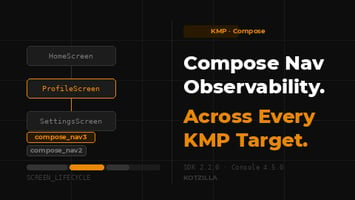
Kotzilla SDK 2.2.0 and Console 4.5.0 bring first-class screen-level observability to Compose...
Fixing Android ANRs When Crashlytics Shows “Root Cause Unknown”
72 ANRs. "Root cause unknown." Now what?
If you're using Firebase Crashlytics, you've probably seen this before.
In addition to crashes, Crashlytics reports some ANR events in your production app but a lot of them are flagged as "root cause unknown." The stack trace often points to system code like android.os.MessageQueue.nativePollOnce, not to anything in your app.
- No indication of which screens were affected.
- No visibility into which components were blocking.
- Just a count and a stack trace pointing to system code.
This stack trace isn't actually the cause of the ANR. It only tells you that the main thread was waiting when the system detected the app was unresponsive.
How do you fix something you can't see?
At Kotzilla, we've seen this scenario repeatedly in Android and KMP projects when working with teams in our Design Partner Program.
This article walks through one such case: a production app with 72 ANR events across 50,000 sessions, and how the team reduced ANRs by 92%. Let's dive in.
What Crashlytics showed (and what was missing)
When we first met with this team, they were in the middle of a major modernization effort: database API migration, updating legacy code, shipping frequent releases. Crash KPIs were strong, but the latest version had logged 72 ANRs across its first 50,000 sessions, and they couldn't explain why.
| What they had | What they needed |
|---|---|
| 72 ANR events | Which screens were affected |
| 0.10% ANR rate | Which components were blocking |
| "Root cause unknown" | How long operations were taking |
| Stack traces → system code | Why initialization was slow |
With complex legacy code, every change carries risk. Regression control is hard. Rolling back is painful. They needed to fix the ANRs but were missing visibility, and manual tracing wasn't an option when they didn't know which screens or components were affected.
Integrating the Kotzilla SDK
The team integrated the Kotzilla SDK into their production app and started analyzing user sessions.
Kotzilla uses the Koin container to collect only the relevant data needed to identify root causes and enable remediation. Koin has visibility into every dependency, every component, and every resolution, and the Kotzilla Platform uses that architectural context to automatically correlate component resolution with screen rendering.
The platform captures:
- Resolution time for every ViewModel and dependency
- Which screens use which components
- Thread information (main vs background)
- Dependency graph complexity
- Performance flags for problematic patterns
What the Kotzilla Platform revealed
Where the ANRs were concentrated
Within the first data sync the platform identified which screens were affected and provided ANR occurrences by screen along with p50 and p95 rendering times.
| Screen | ANR Events | ANR Rate | p95 Render Time |
|---|---|---|---|
| ItemListFragment | 22 | 0.15% | 783ms |
| ItemListActivity | 20 | 0.14% | 806ms |
| OnboardingContainerFragment | 14 | 0.10% | 5,106ms |
| DashboardFragment | 10 | 0.08% | 277ms |
| OTPActivity | 6 | 0.04% | 452ms |
Three flows accounted for 66 of 72 ANRs. And for the first time, the team could see exactly what was blocking them.
Root causes and fixes
For each screen, the platform identified blocking component resolutions and other performance issues. Any component resolution blocking the main thread for more than 100ms was automatically flagged as a critical performance issue.
With this context, it was possible to identify root causes and apply the following targeted fixes:
ItemList Fragment
| What the Platform showed | Root cause | Fixes applied |
|---|---|---|
| Multiple ViewModels resolved synchronously | All resolved in onCreate() before UI could render |
Defer secondary ViewModels until needed |
ItemListViewModel with 4 constructor dependencies |
Deep resolution chain on main thread | Reduced to 1, others lazy |
| Cache warming and DB init detected | Blocking operations during repository construction | Moved to Dispatchers.IO |
// Before: 4 dependencies + blocking init
class ItemListViewModel(
    private val itemRepository: ItemRepository,
    private val analyticsService: AnalyticsService,
    private val cacheManager: CacheManager,
    private val preferencesManager: PreferencesManager
) : ViewModel() {
    init {
        items.value = itemRepository.loadFromCache() // Blocks main thread
    }
}

// After: 1 dependency + lazy injection + background init
class ItemListViewModel(
    private val itemRepository: ItemRepository,
    private val analyticsService: Lazy<AnalyticsService>
) : ViewModel() {
    init {
        viewModelScope.launch(Dispatchers.IO) {
            items.value = itemRepository.loadFromCache()
        }
    }
}
Dashboard Fragment
| What the Platform showed | Root cause | Fixes applied |
|---|---|---|
HomeViewModel averaging 448ms resolution |
6 constructor dependencies creating deep chain | Reduced to 2 core dependencies |
| Factory scope detected | New instance created on every resolution | Changed to viewModel scope |
| Heavy services in constructors | InsightsService, RecommendationEngine doing work during init |
Moved to lazy injection |
// Before: factory { HomeViewModel(...) }  // New instance every time
// After: viewModel { HomeViewModel(...) }  // Proper lifecycle
Onboarding Container Fragment
| What the Platform showed | Root cause | Fixes applied |
|---|---|---|
| Multiple components resolving synchronously | Preferences, permissions, analytics all blocking | Defer non-critical until after first frame |
Deep dependency chain in OnboardingViewModel |
First-launch flow loading everything upfront | Reduced to essentials, lazy load rest |
| 5,106ms render time | Already over ANR threshold on cold starts | Show skeleton UI, load in background |
// Before: everything resolved before UI renders
class OnboardingContainerFragment : Fragment() {
    private val viewModel: OnboardingViewModel by viewModel()
    private val analyticsService: AnalyticsService by inject()
    private val permissionsManager: PermissionsManager by inject()
}

// After: essential only, others deferred
class OnboardingContainerFragment : Fragment() {
    private val viewModel: OnboardingViewModel by viewModel()
    // Analytics and permissions loaded after first frame
}
The team used this context to fix the issues, by connecting the Kotzilla MCP with Claude Code (Cursor, Copilot and any MCP-compatible AI assistant work too).
The MCP gives the AI assistant the full diagnostic context: which component is slow, the complete dependency resolution chain with timing at each node, affected app versions, and how many user sessions were impacted. It can see, for example, that ItemListViewModelresolution is slow because of a deep dependency chain combined with a blocking call in the init block on the main thread.
Summary of the recurrent fix patterns
Across this case (and others in our Design Partner Program), we've seen three patterns consistently helping eliminate ANRs:
- Light ViewModels: No heavy work in ViewModel constructors. Reduce constructor dependencies to core deps, lazy-inject the rest. Avoid cache warming, DB setup, or service initialization during construction.
- Background delegation: Move heavy operations off the main thread using
Dispatchers.IO. Use proper Koin scopes (viewModelinstead offactory) to avoid repeated resolution costs. - Deferred resolution: Don't resolve everything in
onCreate(). Defer non-critical components until after the first frame renders. Show skeleton UI while loading in the background.
The results
The team shipped v1.1 with these targeted fixes. The impact went beyond ANR reduction and not only eliminated most of the ANRs but also cut p95 render times by up to 93% on affected screens.
ANR Reduction
| Metric | v1.0 | v1.1 | Change |
|---|---|---|---|
| Total ANR Events | 72 | 6 | -92% |
| ANR Rate | 0.10% | 0.01% | -90% |
| Screens with ANRs | 6 | 2 | -67% |
Screen Performance (p95)
| Screen | v1.0 | v1.1 | Improvement |
|---|---|---|---|
| ItemListFragment | 783ms | 52ms | -93% |
| ItemListActivity | 806ms | 88ms | -89% |
| PreferencesActivity | 201ms | 17ms | -92% |
| VerificationActivity | 233ms | 103ms | -56% |
| AuthResultActivity | 106ms | 22ms | -79% |
What's next?
After deploying v1.1, the team was able to identify some regressions introduced by those fixes and other components and screens to improve.
Regressions detected
Some screens got slower though no new ANRs were introduced:
| Screen | v1.0 p95 | v1.1 p95 | Change | Sessions |
|---|---|---|---|---|
| DashboardFragment | 277ms | 626ms | +126% | 3,840 |
| MainActivity | 475ms | 533ms | +12% | 16,920 |
| HomeFragment | 322ms | 380ms | +18% | 16,850 |
Components that can be improved in v1.2
| Component | Avg Resolution | Calls | Issue Detected |
|---|---|---|---|
| InsightsViewModel | 235ms | 11 | MAIN_THREAD_PERFORMANCE |
| HomeViewModel | 102ms | 3,178 | MAIN_THREAD_PERFORMANCE |
HomeViewModel is the top priority for v1.2 with over 3,000 resolutions, it affects multiple high-traffic screens including DashboardFragment, HomeFragment, and MainActivity. The remaining 6 ANRs in v1.1 are likely tied to these flows, making this the natural next target.
This is the feedback loop: identify → fix → validate → surface new targets → repeat.
Conclusion
The difference between "root cause unknown" and a 92% reduction comes down to one thing: visibility at the right level.
| Before (Crashlytics only) | After (Kotzilla Platform) |
|---|---|
| "72 ANRs, root cause unknown" | Specific ViewModels identified |
| No screen attribution | ANRs mapped to 6 screens |
| No timing data | Resolution times per component |
| Manual instrumentation | Targeted optimizations |
Traditional APM tools can tell you that something is slow, but they lack the component-level visibility to explain why or to provide a clear path to fix it.
With visibility into which screens were affected and which components were blocking, targeted remediation became possible. In this case, three main patterns (lighter ViewModels, fewer dependencies, and background initialization) allowed to eliminate 92% of ANRs and cut render times by up to 93%.
But the real value isn't just the initial fix. It's the continuous feedback loop that catches regressions, identifies new optimization targets, and keeps your app performing as it evolves. Performance isn't a one-time fix; it's an ongoing practice.
Koin already understands your app's architecture. The Kotzilla Platform uses that context to show you what's actually happening and helps you fix it.
Your ANRs have a root cause
Those "root cause unknown" ANRs do have a root cause. Kotzilla ties each one to the exact component and screen behind it, from your real production sessions, the same analysis you just read, on your app.
Install the SDK and you'll see your blockers in the first sessions and let the Kotzilla MCP find and fix them from Claude Code, Cursor, Copilot and others.
This article uses anonymized data from our Design Partner Program. The analysis methodology and patterns reflect real diagnostic work across multiple partners facing similar ANR challenges.