.svg)
.png?height=200&name=Copy%20of%20Whats%20new%20November%202024%20(3).png)
This week, we're launching the Kotzilla MCP Server. It's a new way to connect your AI coding...
The best MCP servers for mobile app development in 2026
Before getting into the list, MCP (Model Context Protocol) is the open standard that lets AI coding assistants connect to real tools and data sources. Instead of pasting information into a chat window, an MCP server automatically feeds your AI assistant structured context.
For web developers, that means your AI can read your database schema, check GitHub issues, or fetch Stripe payment records.
For mobile developers, it should mean your AI can read your crash reports, understand your dependency graph, and know what a user's session looked like before things broke.
Most MCP lists stop before reaching that last part. This one starts there.
The MCP servers worth knowing for mobile development
Kotzilla MCP Server
This is the one that fills the gap. Kotzilla's MCP server connects your AI coding assistant (Claude Code, Cursor, or any MCP-compatible client) to real production data from your Android or Kotlin Multiplatform app.
What it gives your AI assistant:
- Full crash reports with desymbolicated Kotlin stack traces across all KMP targets
- Session context: what the user was doing, which components were active, what threads were running
- The Koin dependency graph at the time of the crash, so your AI can see not just what failed but what it depended on
- Performance data: slow startups, ANRs, frozen screens, blocking ViewModels
- A knowledge base of proven fix patterns for common Koin and KMP issues
The practical result is that instead of feeding your AI a stack trace and getting a generic answer, you get root cause analysis grounded in actual production data. Your assistant can investigate the issue and suggest a fix that accounts for the real state of your app.
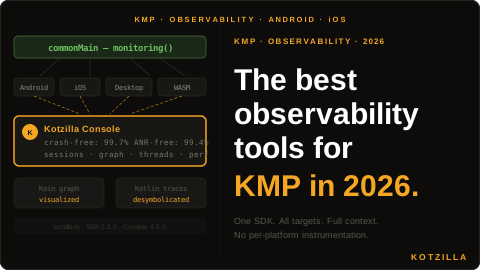
Setup is one line in your Koin configuration. No manual instrumentation, no per-platform SDK setup. It works across Android, iOS, Desktop, and WASM targets from a single integration.
Best for: Android and KMP teams using Koin who want AI-assisted debugging grounded in production data.
Website: kotzilla.io
GitHub MCP Server
The official GitHub MCP server is useful for any developer, mobile included. It lets your AI assistant read issues, pull requests, code, and workflows directly from your repositories without you having to paste anything.
For mobile teams, it's most useful for regression investigation: your AI can cross-reference a crash timeline with recent commits to narrow down which change introduced the problem. Pair it with Kotzilla's MCP server and your assistant has both the production crash data and the code history at the same time.
The security note worth knowing: use a read-only personal access token. GitHub's own documentation flagged prompt injection risks via malicious issue content, and read-only tokens significantly reduce that surface area.
Best for: Any team that wants AI assistance across code review, issue triage, and regression investigation.
Linear MCP Server
If your team tracks bugs and feature work in Linear, this is worth setting up. Your AI assistant can search issues, create tickets directly from a debugging session, and link production crashes to existing work items.
For mobile teams specifically, the workflow looks like: Kotzilla surfaces a crash pattern, your AI investigates the root cause, and instead of copy-pasting into Linear you ask it to create the ticket with all the context already filled in. Fast, and nothing gets lost in translation.
Best for: Teams using Linear for issue tracking who want to close the loop between production monitoring and engineering work.
Notion MCP Server
Less obviously a developer tool, but useful for mobile teams maintaining internal runbooks, incident logs, or release notes. Your AI assistant can read and write Notion pages, which means it can pull context from your documentation during a debugging session or update your incident log after a fix.
For teams that document their Koin architecture or KMP setup in Notion, this also means your AI can reference that documentation when investigating issues, without you having to find and paste the relevant page.
Best for: Teams that use Notion heavily for internal documentation and want it accessible during AI-assisted workflows.
Figma MCP Server
Design-to-code workflows are where this one earns its place. For mobile teams building UI in Figma, the Figma MCP server lets your AI assistant read the actual design spec and generate component code that matches the design system exactly, including token names, spacing, and component structure.
It's most useful during feature development rather than debugging. If your team regularly implements Figma designs in Compose or SwiftUI, this removes a significant amount of back-and-forth.
Best for: Mobile teams with a Figma-based design workflow building Compose or SwiftUI UIs.
Slack MCP Server
Incident response for mobile apps often happens in Slack: someone reports a crash spike, the thread fills up with context, and half of it never makes it into the ticket. The Slack MCP server lets your AI assistant read that thread and pull the relevant context into a debugging session.
It's also useful for surfacing user-reported issues. If your support or QA team logs bugs in a Slack channel, your AI can search that channel alongside production data from Kotzilla to build a fuller picture of what's happening.
Best for: Teams where incident response and bug reporting happens in Slack.
How to think about combining these
A useful mobile development stack using MCP looks something like this:
Production debugging: Kotzilla MCP gives your AI the crash data, session context, and dependency graph. GitHub MCP gives it the code history. Together, your AI can identify both what broke and when it was introduced.
Issue tracking: Linear MCP closes the loop from investigation to ticket without copy-pasting.
Feature development: Figma MCP handles design-to-code. GitHub MCP handles PR review and code context.
Team coordination: Slack and Notion MCPs bring in the human context that lives outside your codebase.
You don't need all of them from day one. If you're a mobile developer and you're only going to set up one, start with Kotzilla's MCP server. It covers the part of the mobile development workflow that's most painful and least supported by the rest of the ecosystem: understanding what's actually going wrong in production.
The gap that the mainstream MCP lists miss
Every major MCP roundup in 2026 covers roughly the same categories: code context, web search, databases, design, and productivity. None of them covers production observability for mobile.
That gap matters because mobile development has a specific debugging problem that backend and web development don't: you can't attach a debugger to a user's device. By the time a crash report arrives, the session is over. You're working backwards from incomplete information.
MCP servers that give your AI assistant that production context before it tries to help you fix something are genuinely different in kind from the ones that help you search the web or read your Notion docs. For mobile developers, that's the category worth paying attention to.
Kotzilla is an observability platform for Android and Kotlin Multiplatform developers. The Kotzilla MCP Server connects your AI coding assistant to real production session data, crash reports, and Koin dependency graphs. Learn more at kotzilla.io.