.svg)

Debugging Kotlin apps can be a nightmare, especially in multi-module projects with complex...
Ask Claude Code or Cursor to speed up a screen in your Android app, and it'll do what any of us would do with no other information: read the code, and reason from static analysis, with nothing from what's actually happening on real devices.
It doesn't know that the MainActivity is your slowest screen in production, or which component behind it is the cause. It's reasoning about your app from the source, not from what's happening on real devices.
The fix is to give the model access to the existing data.
Kotzilla has been collecting that production telemetry the whole time, slow screens, ANRs, dependency resolution timings, all tied to real sessions.
What was shipped
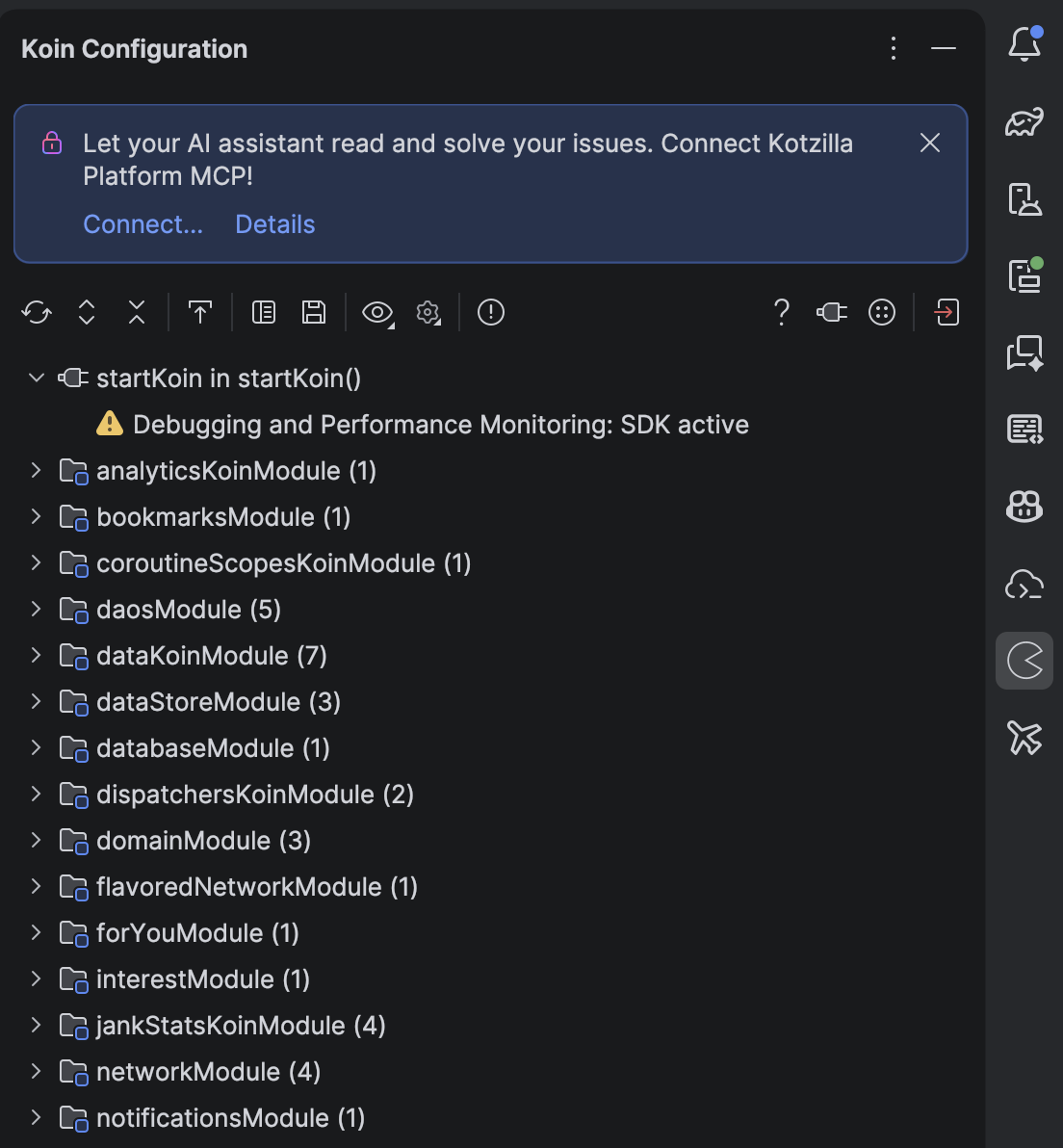
The Koin IDE Plugin 1.6.0 adds a single Connect dialog in Android Studio or IntelliJ. It surfaces right in the Koin Configuration panel you're already using:
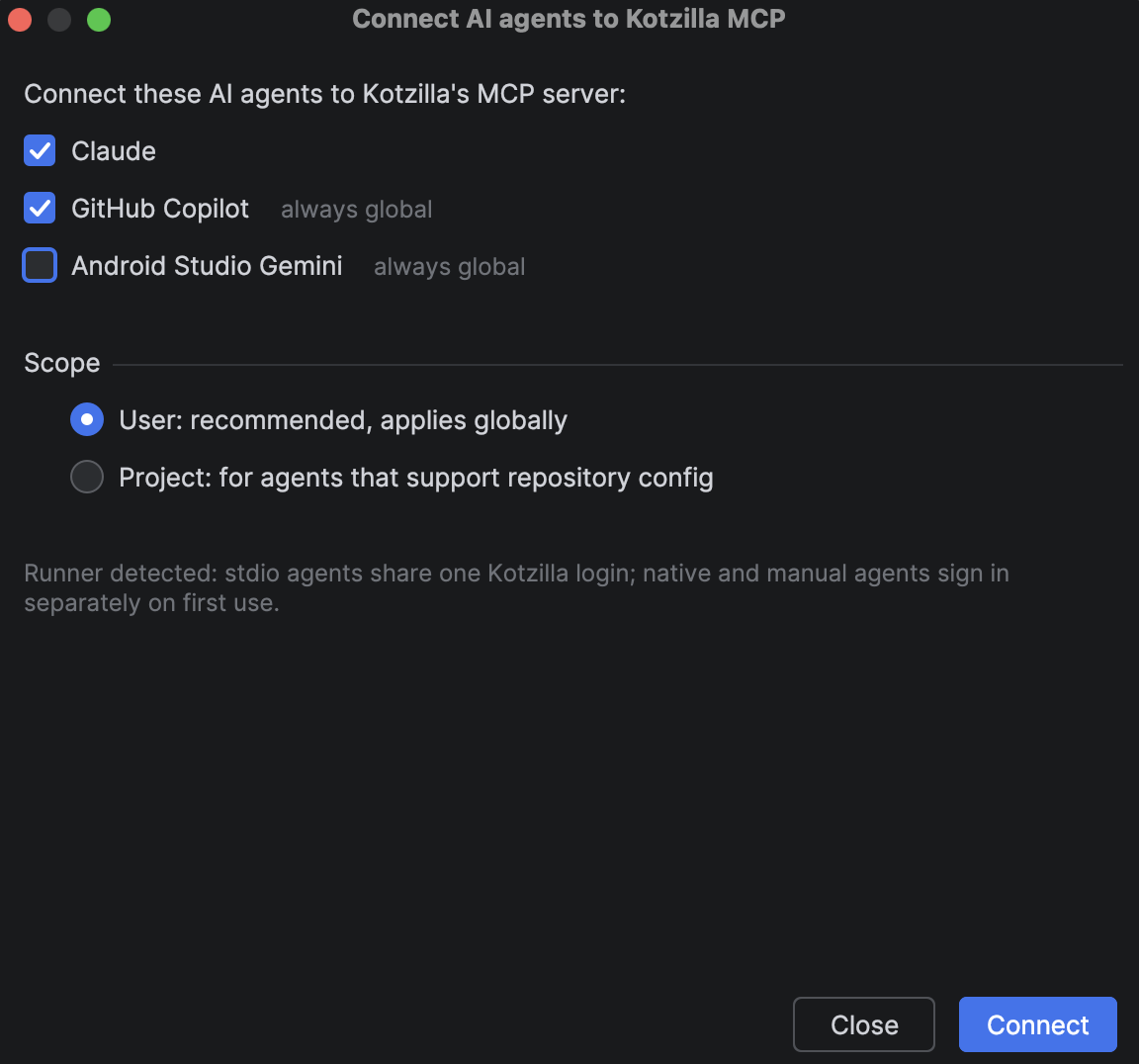
Open it and the plugin scans for installed AI assistants (Claude Code, GitHub Copilot, Cursor, Windsurf, OpenAI Codex, Gemini CLI, JetBrains AI Assistant, Junie, and more), and lists them.
Pick the ones you want with a checkbox each, and the plugin sets up the Kotzilla MCP connection for each one.
You don't need to edit JSON by hand or look up the right command or config path. The same dialog shows what's already connected and lets you disconnect cleanly.
Each detected assistant gets its own checkbox. Check it, and the plugin wires up the connection to the Kotzilla MCP Server (1.12.1) for you.
The same dialog shows you what's already connected, and if you want to back out, it'll either disconnect cleanly or hand you the exact manual steps.
What it looks like in practice
Ask your AI assistant, Copilot in this example, 'What's the slowest screen in my app right now?' and it calls the Kotzilla MCP (you can see the get_platform_activity and get_screen_performance calls).
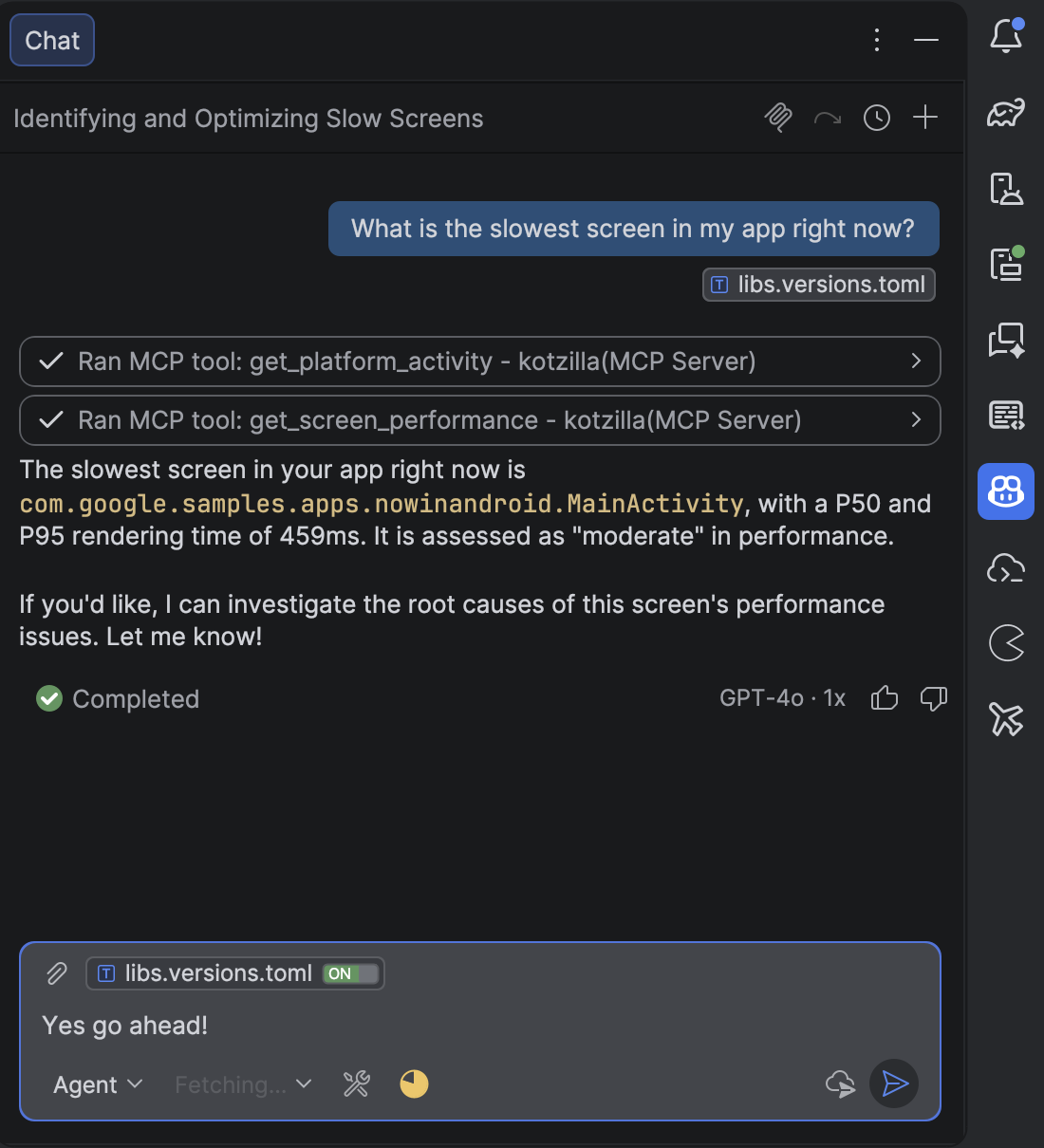
It then answers from real production data: MainActivity, 459ms P50/P95, rated moderate, and offers to dig into the root cause.
The assistant isn't inferring an answer from static analysis anymore. It's querying the same production data your team already looks at in the Kotzilla console.
What this isn't
This doesn't make the assistant fix things on its own. Whether it auto-applies a fix or waits for your review is your assistant's setting (agent mode, auto-approve, and so on).
What changes is what it works from: your app's real production data, not just the source.
You could also connect to the MCP yourself.
The Connect dialog simply takes the setup work off your plate: no config file to write per assistant, and one place to see and manage what is linked. Prefer to wire it up by hand? That still works exactly as before.
Try it
It's in the current Koin IDE plugin release.
Grab it, open the Connect dialog, check the box for whatever you're already using, and ask it something real about your app.
Docs: setting up the MCP connection →
Also worth reading: Koin IDE Plugin 1.4.0: AI-powered dependency injection debugging if you want the fuller picture of how the plugin's AI features evolved.
About the Author: This article was written by Miguel Valdes-Faura from the Kotzilla team. Kotzilla provides AI-Native Developer Observability for Android and Kotlin Multiplatform apps, trusted by leading companies like Canal+, TotalEnergies, Worldline, Volkswagen or Decathlon to speed up issue resolution and reduce downtime. Follow us for more insights on Android development best practices and performance optimization strategies.